
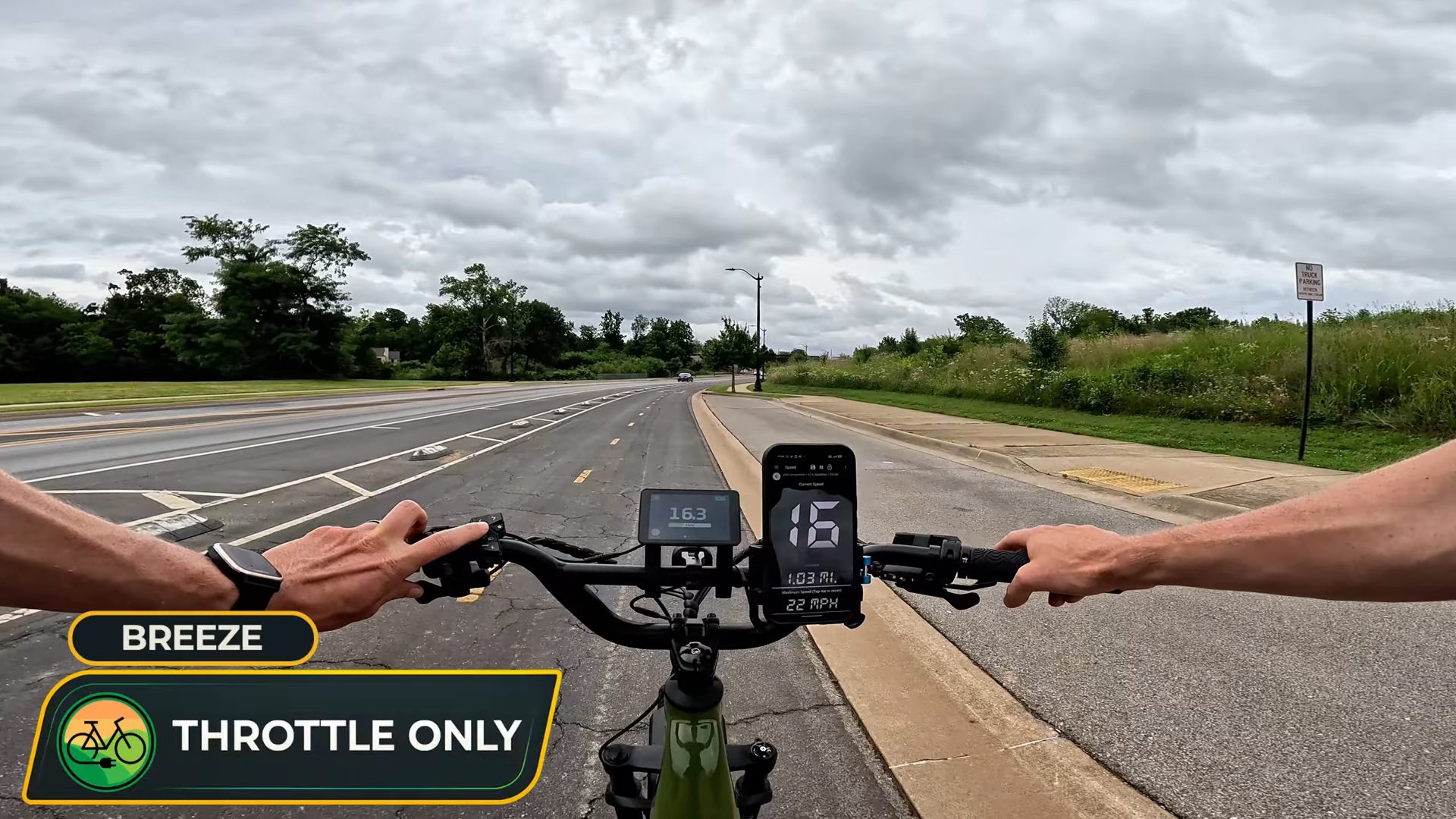
Watch almost any of our ride footage and you will spot a phone on the handlebars showing one giant number. People ask about it in the comments all the time. That number is my GPS speed, and the free app behind it has become one of the most useful tools I bring to every test ride.
The reason it is there is simple. Ebike displays vary. Some are spot on, some read a little high, and some a little low, and you cannot tell which kind you have just by looking at them. Running one GPS app on every bike gives me the same yardstick from review to review, so when I tell you how fast a bike goes, the number does not depend on how that particular display was calibrated.
Below I will cover why ebike speedometers drift, the app I use, how I use it for both speed and distance, and the phone holder that keeps it on my bars from bike to bike.
This article contains affiliate links. We sell the BiKGrip phone holder in our shop, and we have no relationship with the app developer.
Why Ebike Speedometers Are Not Always Accurate
Most ebike displays do not measure speed directly. They count how often the wheel turns and multiply that by a wheel size programmed into the controller. When that setting does not quite match the tire on the bike, every reading is off by the same small percentage. Tire pressure and tread wear nudge it further.
Usually the difference is a mile per hour or less, and often there is no real difference at all. On the Monarc Marker, the display read 16.3 mph while the app showed 16. The app only shows whole numbers, so that is a match. Where a small error really matters is right at the legal limit.
Our Gotrax Ranger 16 review is a good example. On throttle alone, the display claimed 20 mph, but GPS settled at 19 mph, and that was with a slight downhill helping. For a kids moped ebike where top speed is the number parents care about most, that one mile per hour is the difference between what the display promises and what the bike actually does.
Speed matters beyond bragging rights. Ebike classes are defined by assisted top speed: 20 mph for Class 1 and Class 2, and 28 mph for Class 3. If you ride paths or trails with a posted limit, an independent reading tells you where you really are.
The App: GPS Speedometer, Speed Tracker
The app is GPS Speedometer, Speed Tracker from developer Nikhil Kumar, listed as COOL NIKS on Google Play. It is free on both platforms:
Nobody is paying us to mention it. There is no affiliate program for this app, and we do not earn anything when you download it. It is simply the one I kept coming back to.
Big Numbers You Can Read at a Glance
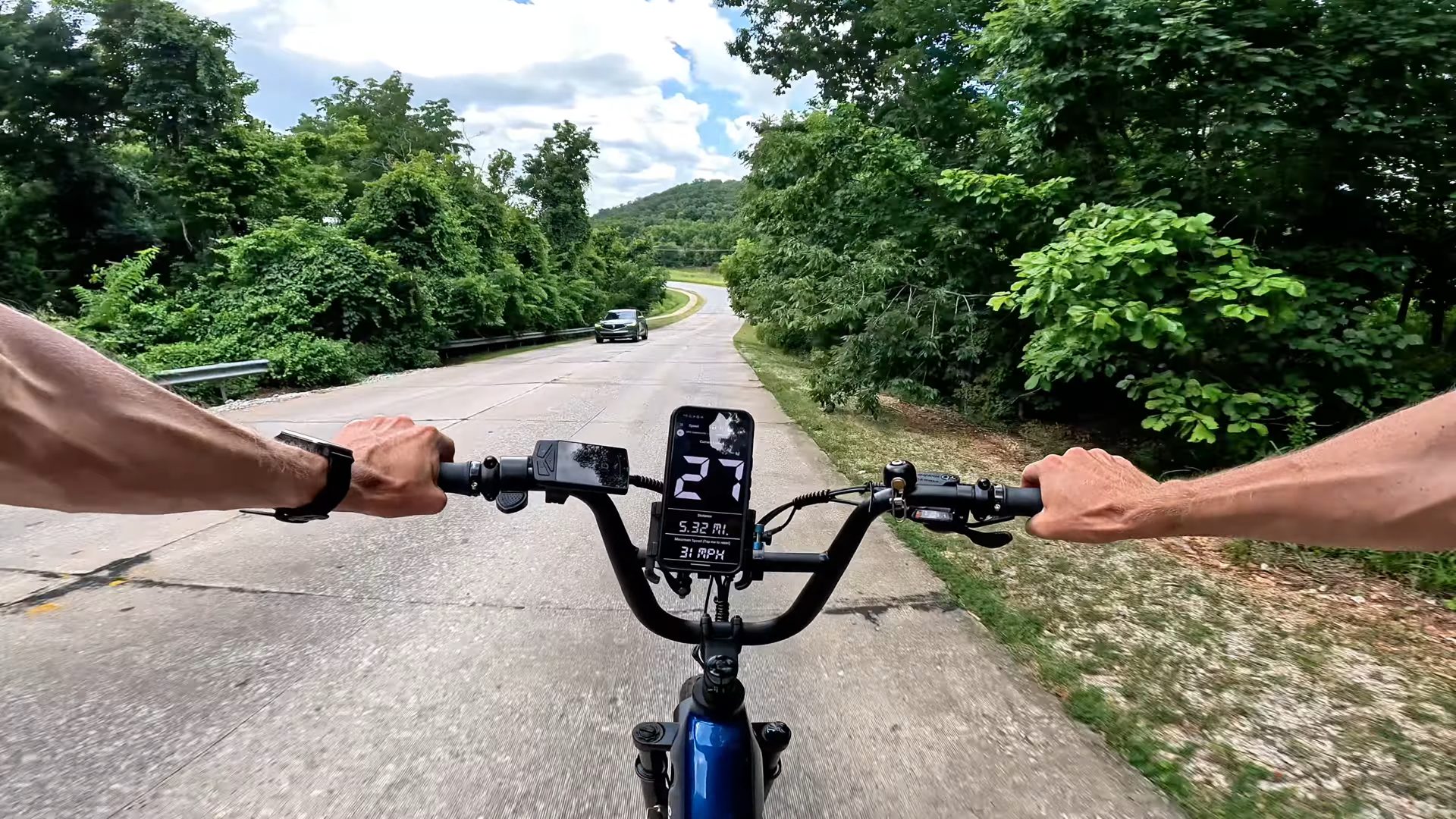
The display is the main reason I use this app over the others. Current speed fills most of the screen in large, plain black and white whole numbers, with trip distance and maximum speed underneath. There is no map clutter and no busy dashboard competing for your attention.
That simplicity pays off twice. On the bike, a quick glance tells you your speed without leaning in to read small text in the sun. On camera, the number is big enough to read clearly in our GoPro footage, so when I say a bike hit a certain speed, you can see it for yourself.
How I Check Top Speed
During a review, I start the app, ride through each assist level and the throttle, and watch both screens. When they agree, the display is trustworthy. When they do not, you will hear about it in the video and read about it in the review.
GPS has its own limits, and it is worth being upfront about them. It needs a clear view of the sky, so readings can wander under heavy tree cover, between tall buildings, or in a tunnel. It also trails a moment behind sudden changes in speed. For that reason I lean on it for steady speeds on open road rather than split second acceleration.
Tracking Distance and Range
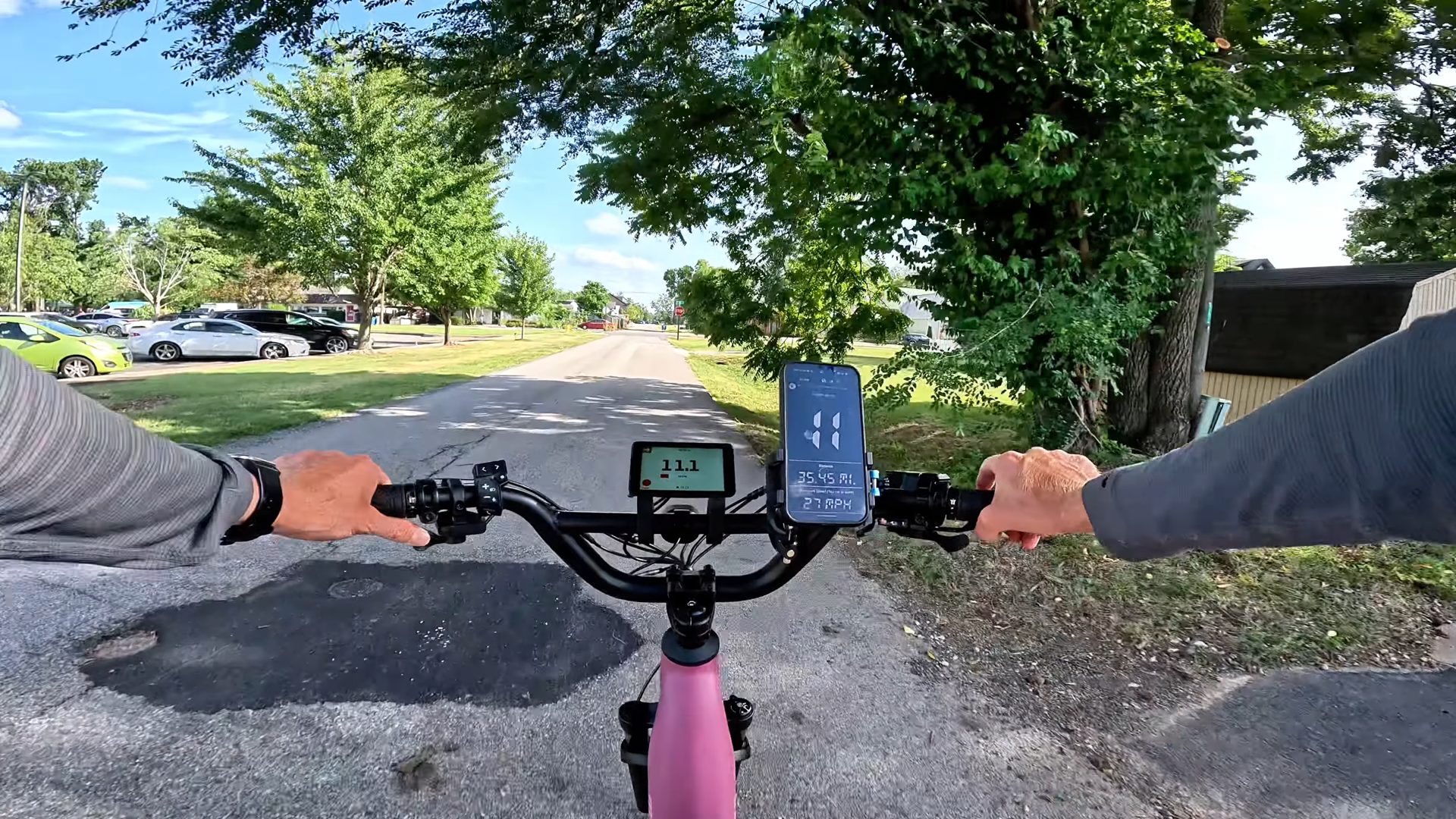
Distance is the app’s other job. It keeps a running trip odometer, so a range test ends with a mileage number that does not depend on the bike’s own odometer, which relies on the same wheel size setting as its speedometer.
That is how we logged miles on our Monarc Tracer range test. Monarc claims up to 130 miles with both batteries, so we rode a single battery from full to 0% in higher assist, and it lasted just under 36 miles before we had to swap. The app kept count the whole way. You can read our full Monarc Tracer review or check the Monarc Tracer price at Monarc.
Other Features Worth Knowing
- Speed alerts. Set a warning speed if you regularly ride paths with a posted limit.
- mph or km/h. Switch units in the settings.
- Works offline. Speed and distance come from GPS, not your data plan, so it keeps working where cell service drops out.
- Floating window. Keeps your speed visible on top of other apps like Google Maps while you navigate.
Ads and Privacy
Free means ads. The app uses a points system to unlock extra features, and small in-app purchases on iPhone remove the ads if they bother you.
Read the privacy disclosure for your phone before installing. The Google Play listing says the app does not collect or share data, while Apple’s App Store listing says location, device identifiers, usage data, and diagnostics may be used for third party advertising and analytics. The two listings do not match, so decide what you are comfortable with.
The Mount That Holds It: BiKGrip Phone Holder
An app is only useful if your phone stays put. The holder in our videos is the BiKGrip Phone Holder, and it is the one I reach for on nearly every ride. Full disclosure: we sell it in the Ebike Escape shop, and we picked it because it is the mount we actually use.
Reviewing a lot of bikes means my phone mount moves constantly. The BiKGrip goes on and comes off by hand in seconds, with no tools, and that alone is why it has stayed in my kit.
Instead of stretchy silicone bands, a spring-loaded lever clamps the phone in place, so it holds steady over potholes and gravel rather than slowly working loose. It is machined from aluminum instead of molded plastic, the included inserts fit handlebars from 22mm to 33mm, and it rotates between portrait and landscape and tilts, so you can angle the screen toward your eyes or toward a camera.
Two tips from experience. Use the extra latch to lock the phone in, and make sure the quick release is fully tight on the bars; skip either one and you are relying on the main clamp alone. Also check where the clamp arms land before your first ride, because on some phones they can press the power or volume buttons. Rotating the phone slightly usually clears them.
Riding bars outside the 22 to 33mm range? Take a look at the ElastoKase universal phone mount or the strap-style Handy Phone Clamp instead.
FAQ
Is my ebike’s speedometer accurate?
Often it is close, but not always. Most displays calculate speed from wheel rotations and a programmed wheel size, so readings can be slightly high or low. Compare the display against a GPS speedometer app on a steady, open stretch of road to find out.
How accurate is a GPS speedometer app?
On open roads with a clear view of the sky, GPS speed is a reliable independent check. It gets less reliable under heavy tree cover, near tall buildings, or in tunnels, and it lags slightly behind sudden speed changes.
Does the app need cell service?
No. Speed and distance come from your phone’s GPS, so it works without a data connection.
Can I use a GPS app to test my ebike’s range?
Yes. Reset the trip before you ride and it records distance independently of the bike’s odometer, which can drift for the same reasons as its speedometer.
Final Thoughts
Ebike displays are usually close, but close is not the same as consistent. A free GPS speedometer app with big, readable numbers gives you one honest reference for speed and distance on any bike you ride, and a solid mount like the BiKGrip keeps it right where you can see it. If you have ever wondered whether your display is telling the truth, try it on your next ride.
